
1
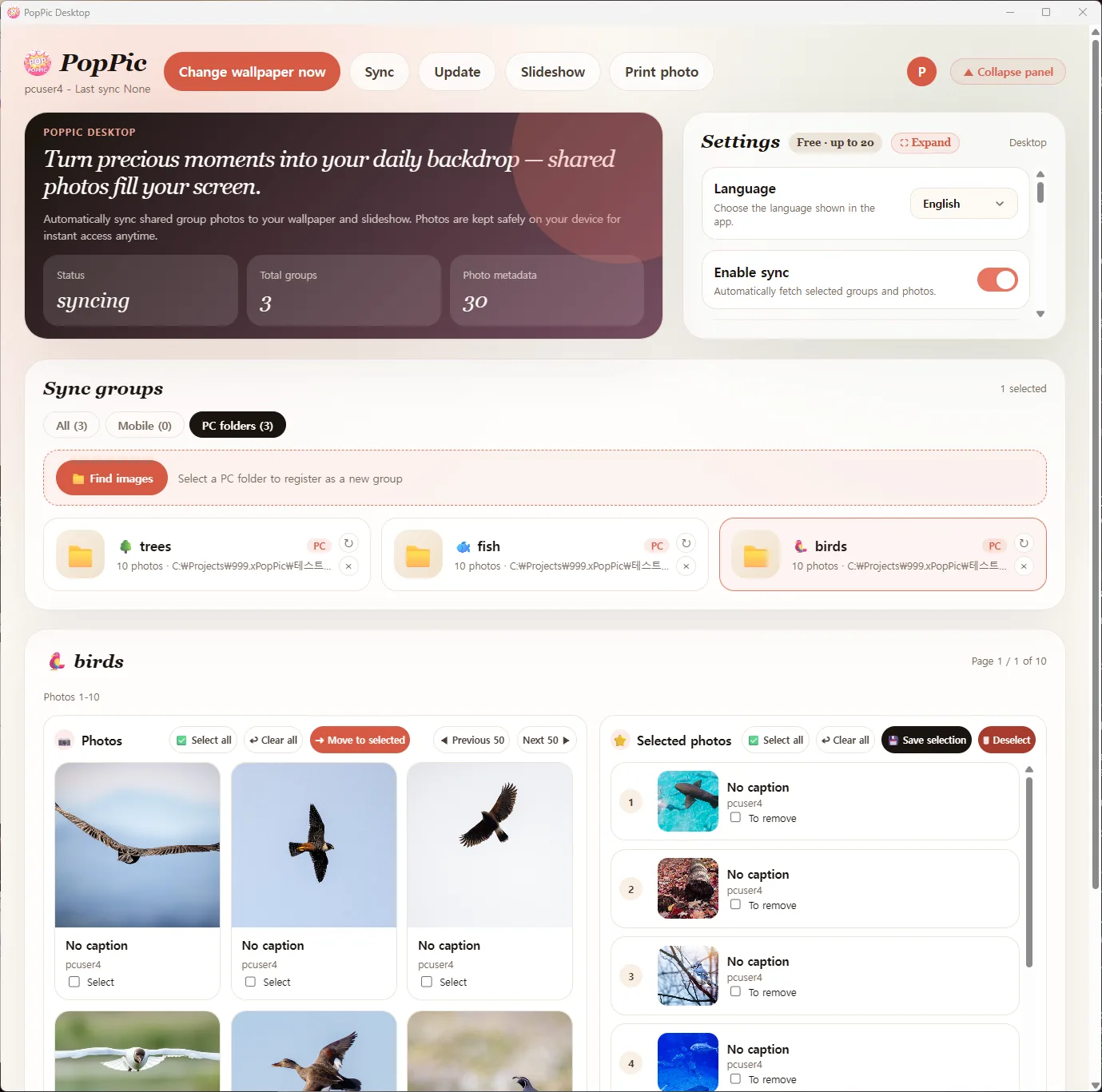
Manage every group and photo from one screen
Manage both mobile-joined groups and local PC folders in one place. See sync state, group counts, and photo metadata at a glance.
- Unified view of mobile groups and local PC folders
- Live status — synced · groups · metadata counts
- Quick favorites panel for fast curation
2
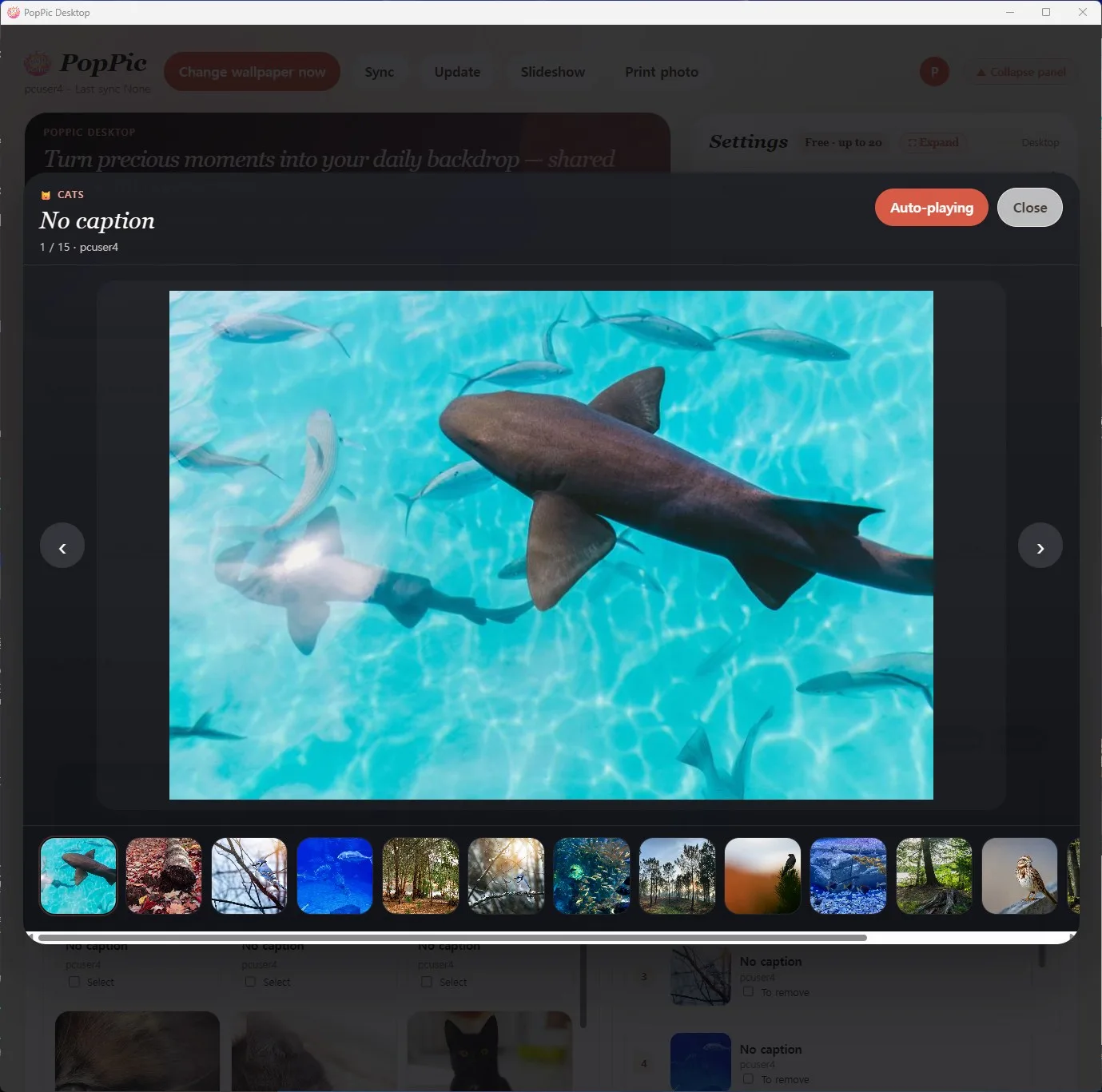
Full-screen slideshows that bring memories back
Auto-play, next/previous, thumbnail pages, favorites-first. Step away and every monitor becomes a gallery.
- Smooth controls with keyboard shortcuts
- Thumbnail pages for fast browsing, 8 at a time
- Favorites-first policy keeps the best photos showing
3
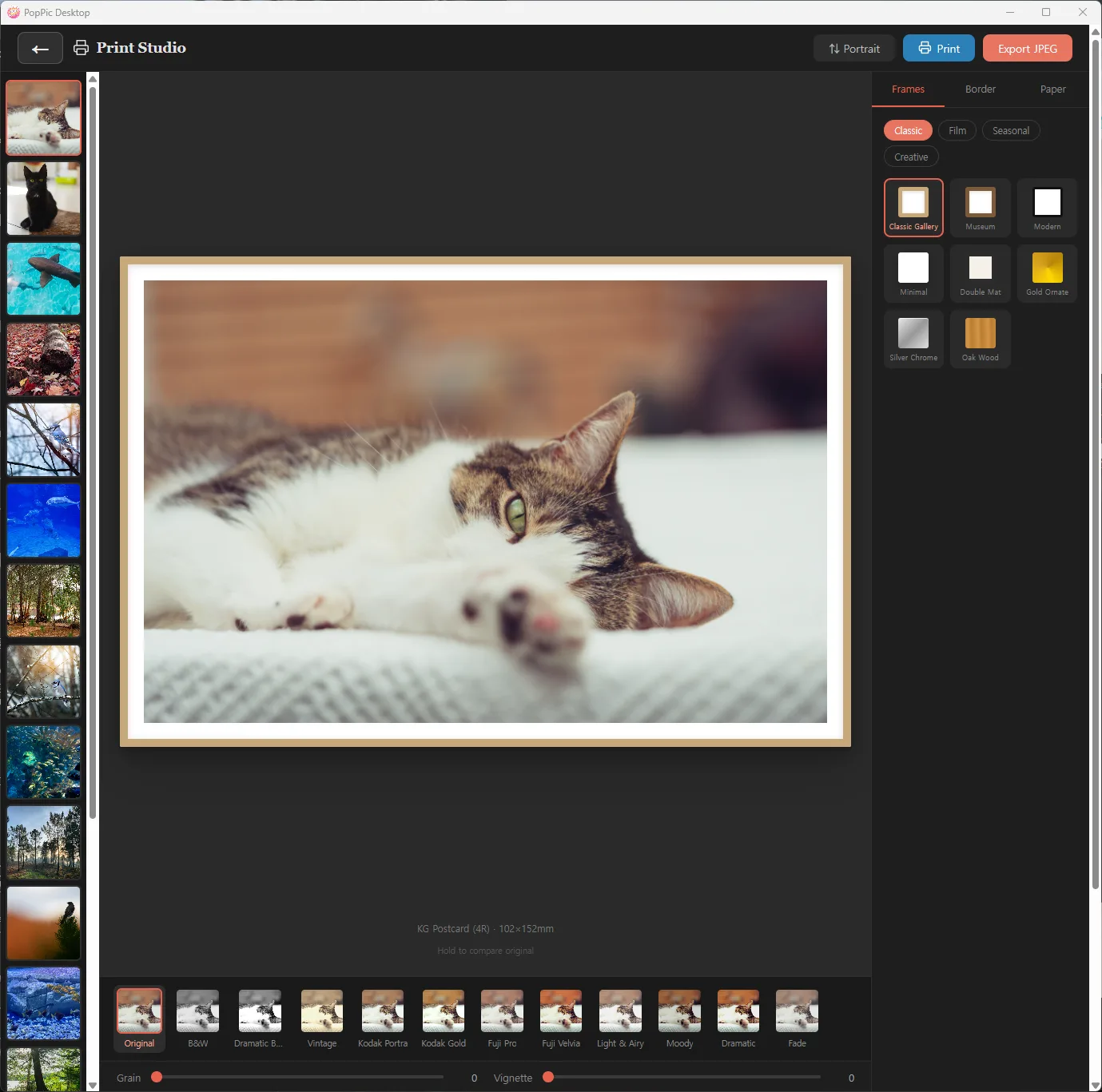
Print Studio — turn digital into physical
22 frames, 12 filters, grain and vignette controls, sizes from L (3R) to A4 — ready to print, all in one screen.
- 22 frames (Classic · Film · Seasonal · Creative) + borders & papers
- 12 filters (Kodak Portra · Gold, Fuji Pro · Velvia, Vintage and more)
- 300DPI JPEG export + native OS print for instant output
4
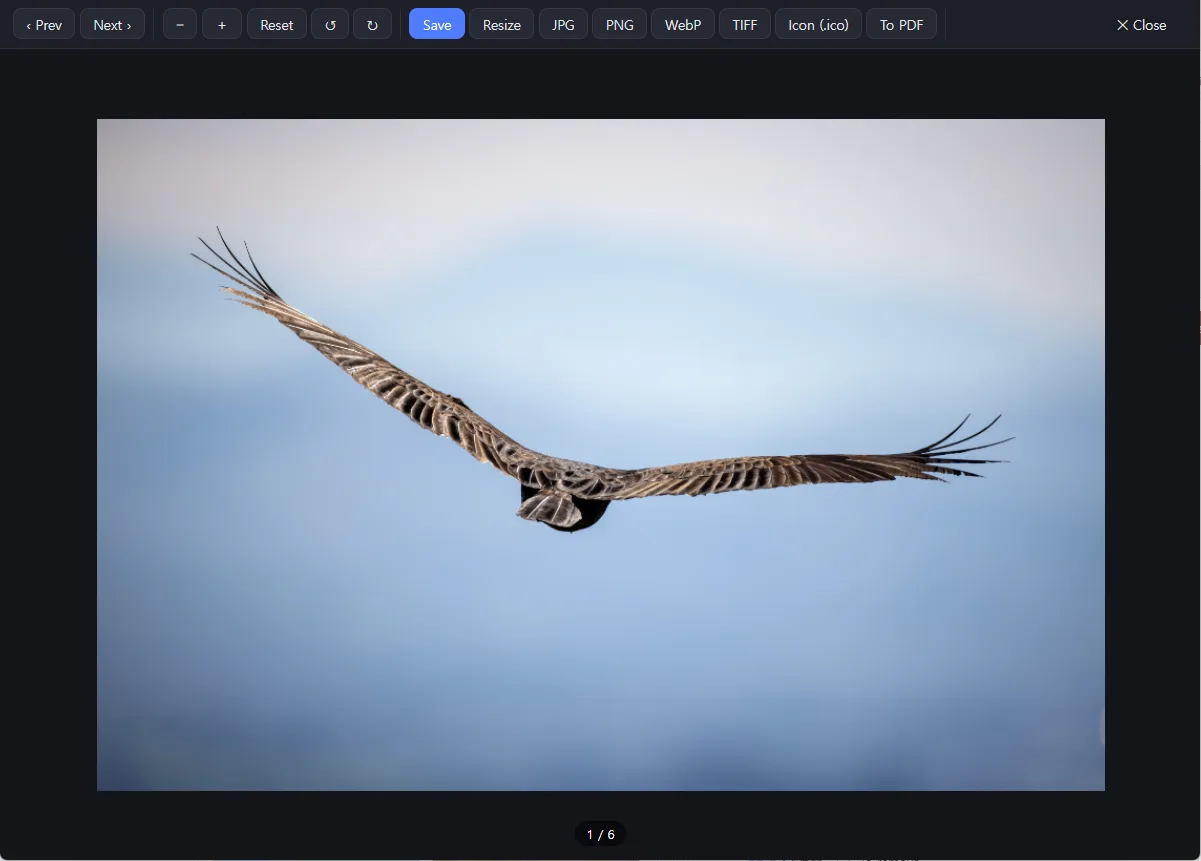
Image Viewer — every photo, in full detail
View high-resolution originals full screen. Zoom and pan, jump between photos, and check metadata — all in one place.
- Zoom and pan high-res originals down to the finest detail
- Move smoothly between photos with keyboard and thumbnails
- Check metadata like capture info and favorites at a glance
System requirements
Windows 10 / 11 (64-bit)
macOS 12 Monterey or later
4GB RAM or more recommended
1GB of disk space